
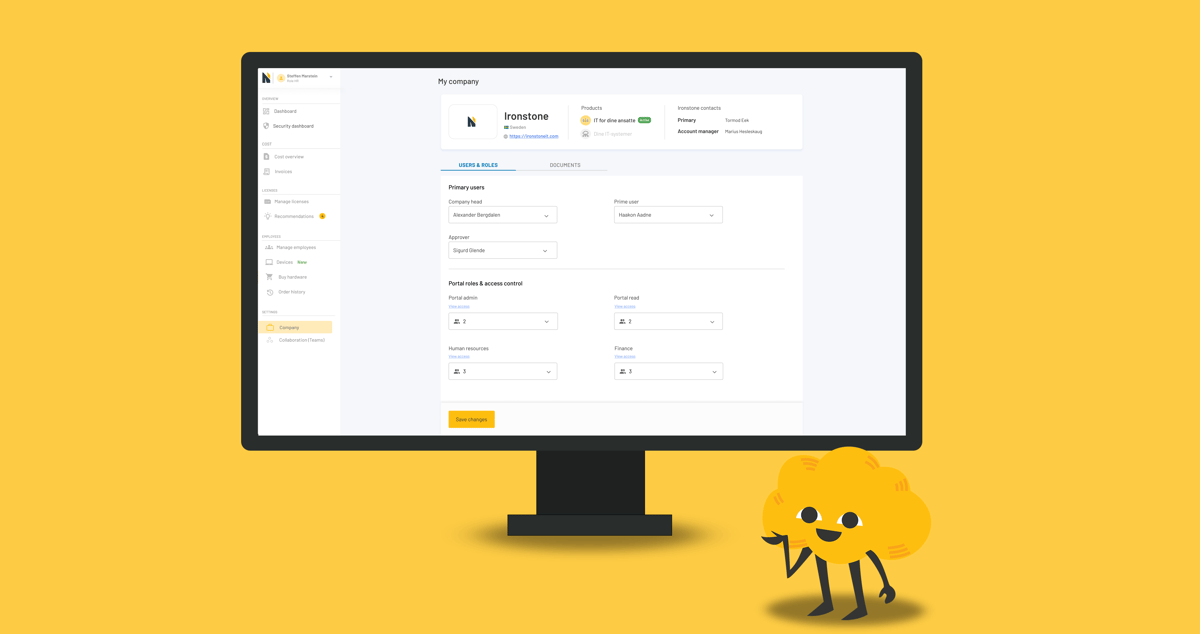
With the new role management in the Ironstone portal, you can now delegate access so that your colleagues can find answers and solve tasks themselves that used to sit with the IT department alone.
This is how you cover the organisation's need for IT-related answers and functions that it used to be up to you and your team to produce. It saves time for both parties, and gives availability at all times as well.
With this we make the Ironstone portal a tool you can scale internally to increase the availability of data and insight, remove dependence on individuals and, all in all, free up time across the organisation.
The roles focus on the finance department's need for cost data, onboarding and offboarding for HR, and managers who need insight into security but are not meant to handle it. You can also allow end users to order equipment themselves, with approval from IT or their line manager.

You manage the new roles under Company in the Ironstone portal.
Give finance insight into costs
The accounts department may, for example, need to see the monthly costs of Azure consumption or the invoice for hardware bought in January last year. Instead of this becoming yet another task for IT, the accounts department can log in themselves and make a full extract of the costs with export.
The Finance role only gives access to cost data and invoices. Neither read nor write access is available for security data, hardware, devices or information about employees. All considerations of security, GDPR and HR are thereby taken care of, and you can be confident that they get answers to their relevant needs and nothing more.

Give the finance manager full insight into IT costs.
Let HR carry out onboarding
The HR role makes it possible to verify onboarding, follow up correct contact details synchronised with Entra, check which PC has been ordered and who gets what when. All of these are questions from HR that the IT department has to answer manually today.
With the new role, HR can easily find the answers on their own. As the person responsible for IT, you can also delegate purchasing to HR through the onboarding process, using standardised hardware bundles (decided by you and your team).
They can, for example, look up information and confirm that the right equipment is in place for the three new people starting in the sales team next week, and for the new developer who was to have an extra powerful PC.
Portal read
Portal read gives managers insight without security risk. You give read access to all information, but the user in question cannot make changes or configurations.
This role is useful in cases where you want to give transparency but keep control. Typically this could be a CEO or Head of Compliance, an external technical auditor and consultants, or others in the IT team.
This is how we create better collaboration and insight, without risk.

You decide who is allowed to approve hardware purchases.
End users can request equipment themselves
With the new approval flow you can now safely let end users request hardware and equipment themselves in the portal.
As IT admin you decide to what extent you want to delegate approval to the line manager or keep the responsibility with IT. You control standardisation and budget limits easily through hardware bundles.
This lets you standardise and scale purchasing, while keeping full control.